플러터로 앱을 개발하기 위해 플러터와 함께 안드로이드 스튜디오를 설치해본다.
https://notion6780.tistory.com/117
플러터 설치
1.플러터 홈페이지 접속https://flutter.dev Flutter - Build apps for any screenFlutter transforms the entire app development process. Build, test, and deploy beautiful mobile, web, desktop, and embedded apps from a single codebase.flutter.dev 2.설
notion6780.tistory.com
1.안드로이드 스튜디오 홈페이지
Android 모바일 앱 개발자 도구 - Android 개발자 | Android Developers
Discover the latest app development tools, platform updates, training, and documentation for developers across every Android device.
developer.android.com
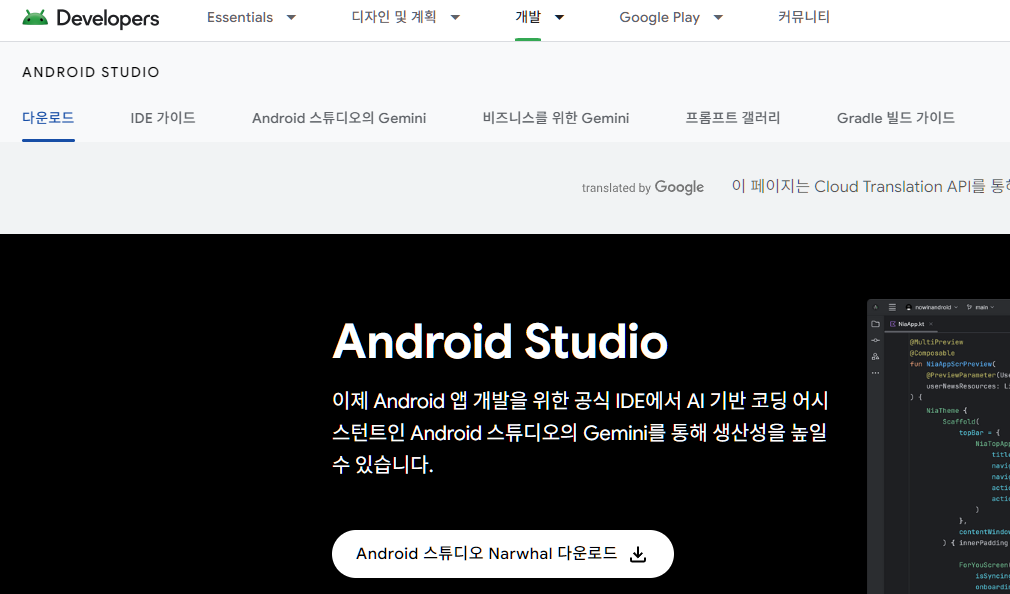
2. 약관 동의

3.플러터 플러그인 설치

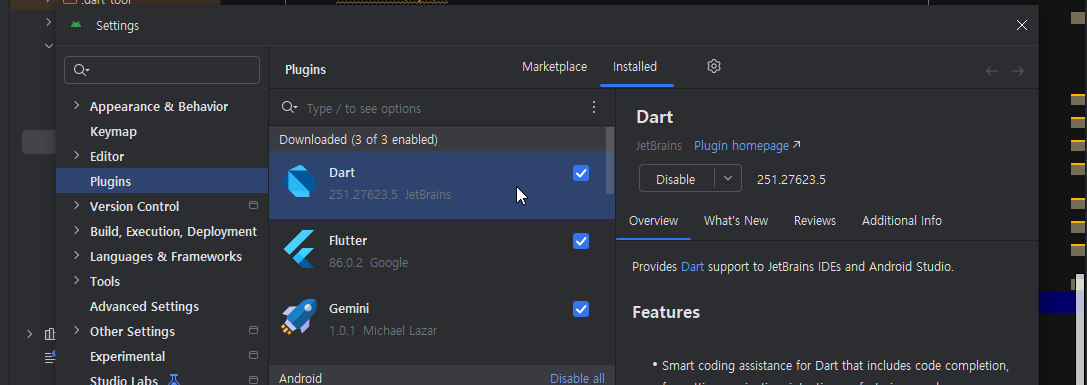
4.플러터 개발환경 세팅
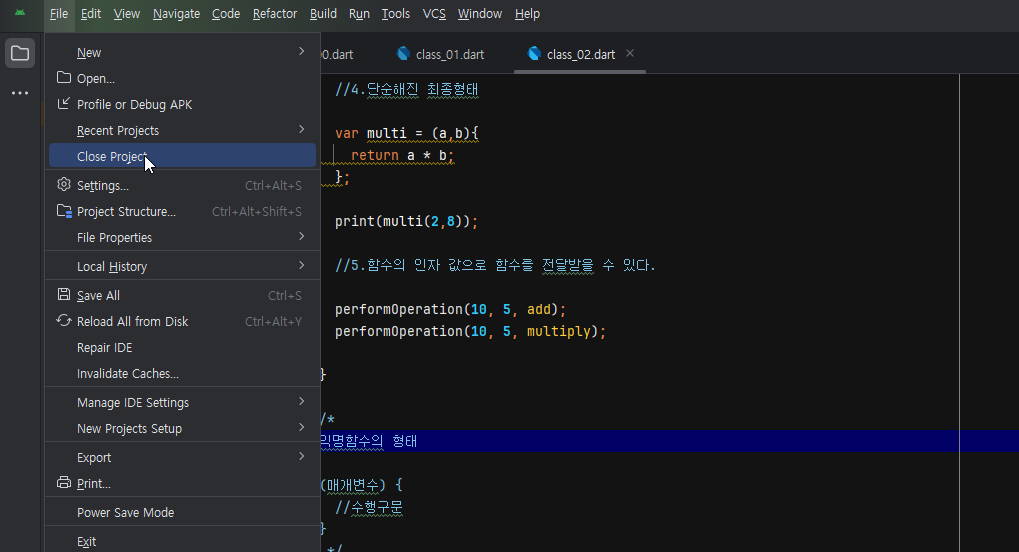
5.SDK 세팅

6.SDK Platform 세팅
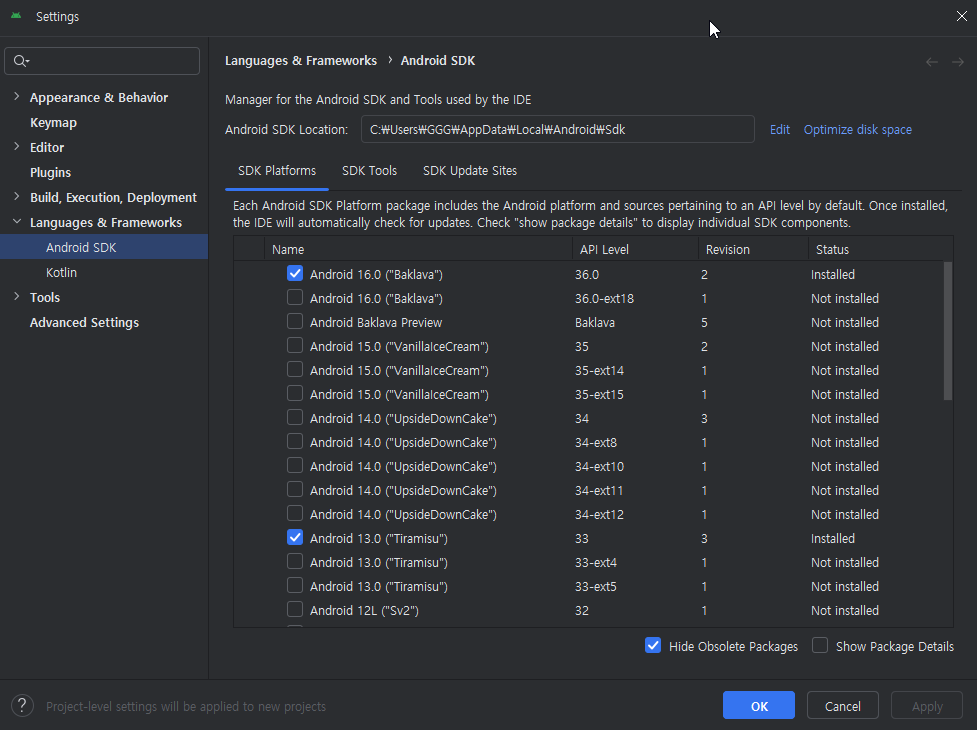
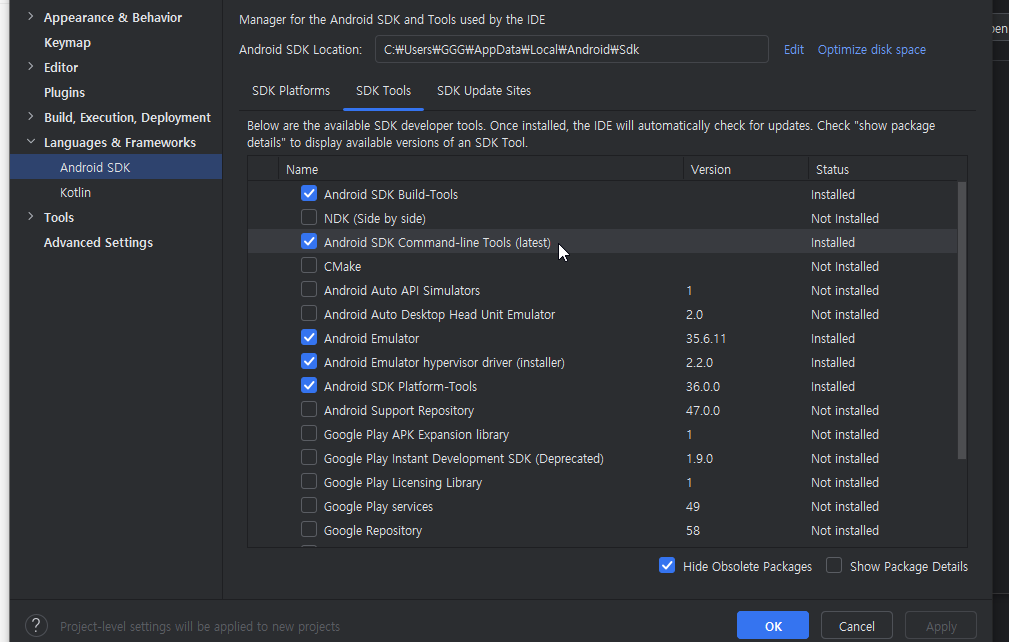
7.SDK Tools 세팅
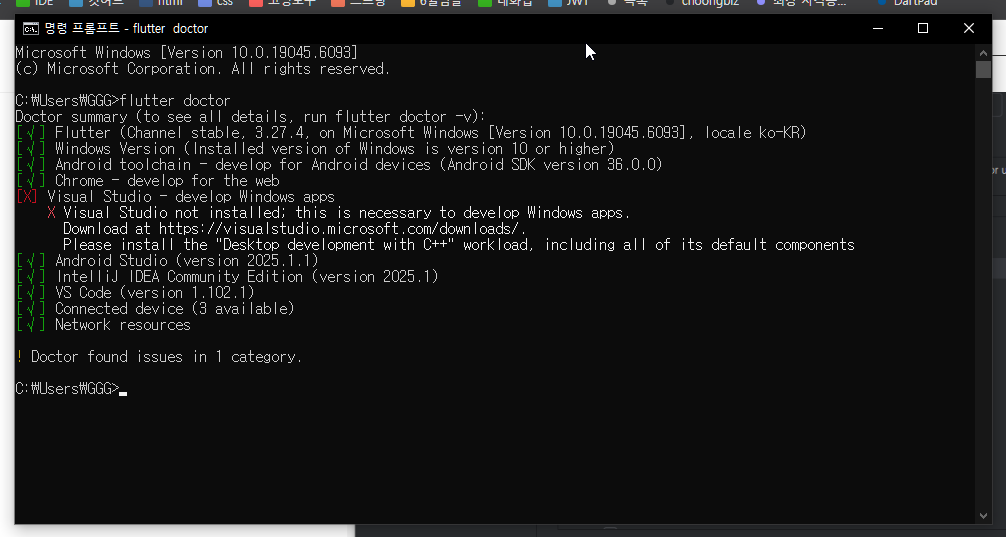
8.cmd 테스트
번외편
안드로이드 스튜디오 탐색기에서 바로 실행하기
https://anythingcafe.tistory.com/19
[Android Studio/코틀린] 프로젝트 저장 폴더에서 우클릭으로 프로젝트 바로 여는 방법
오늘은 안드로이드 스튜디오 프로젝트가 저장되어 있는 작업 폴더에서 마우스 우클릭으로 작업 폴더를 바 로 여는 방법에 대해 알아보겠습니다. 0. 목적 위 사진과 같이 프로젝트 폴더를 마우스
anythingcafe.tistory.com
'설치메뉴얼' 카테고리의 다른 글
| 플러터 설치 (0) | 2025.07.23 |
|---|---|
| IDE설치) 비주얼스튜디오코드 vscode 설치와 세팅 (0) | 2025.05.27 |
| MySQL 설치 (0) | 2025.05.01 |


